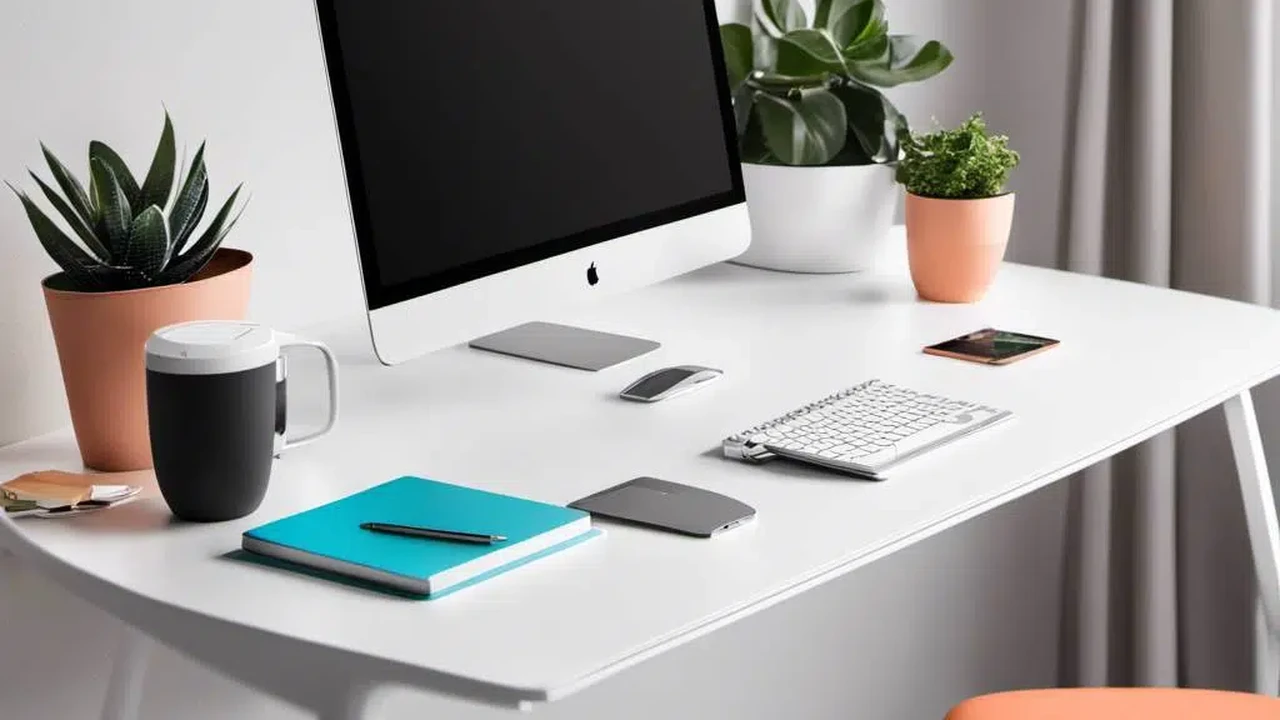
Top Standing Desks for Health and Productivity
Why Standing Desks Are a Game Changer for Your Health and Workflow
Let's be real, sitting all day isn't doing our bodies any favors. From back pain to reduced energy, the traditional desk setup can really take a toll. That's where standing desks come in. They're not just a fad; they're a genuine shift towards a healthier, more dynamic workday. By allowing you to seamlessly switch between sitting and standing, these desks can boost your circulation, reduce discomfort, and even sharpen your focus. Think about it: less stiffness, more movement, and a better overall feeling throughout your day. It's about creating an active workspace that supports your well-being, not hinders it.
Understanding the Different Types of Standing Desks and Their Benefits
When you start looking into standing desks, you'll quickly realize there's a whole world of options out there. It's not just one-size-fits-all. Each type offers unique advantages, so understanding them can help you pick the perfect fit for your needs and budget.
Manual Crank Standing Desks for Budget-Friendly Adjustability
These are your entry-level adjustable desks. They use a hand crank to raise and lower the desk surface. While they might take a little more effort to adjust, they're often the most affordable option. They're great if you're on a tighter budget or if you don't plan on adjusting your desk height super frequently throughout the day. They're also pretty reliable since there are fewer electronic components to worry about. You get the core benefit of height adjustability without the premium price tag.
Electric Standing Desks for Effortless Height Transitions
Now, if convenience is high on your list, electric standing desks are where it's at. These desks come with a motor (or sometimes two!) that handles all the heavy lifting. With just the press of a button, your desk glides smoothly to your desired height. Many models even have memory presets, so you can save your perfect sitting and standing heights and switch between them instantly. This makes frequent adjustments a breeze, encouraging you to move more often. They're a bit pricier than manual desks, but the ease of use often makes them worth the investment, especially if you're someone who likes to change positions regularly.
Desk Converters for Transforming Your Existing Workspace
Don't want to replace your entire desk? No problem! Desk converters are a fantastic solution. These units sit on top of your existing desk and provide an adjustable platform for your monitor, keyboard, and mouse. They're usually more compact and portable, making them ideal for smaller spaces or if you're not ready to commit to a full standing desk. They come in both manual and electric versions, offering flexibility. While they might not offer the same expansive workspace as a full standing desk, they're an excellent way to dip your toes into the standing desk world without a major overhaul.
Key Features to Look for in Your Ideal Standing Desk
Choosing the right standing desk isn't just about picking a type; it's about finding one with the features that truly matter for your daily use. Here's what to keep an eye out for:
Height Range and Ergonomic Fit for All Body Types
This is crucial. A good standing desk should accommodate your height, whether you're on the shorter or taller side. Check the minimum and maximum height settings to ensure it can go low enough for comfortable sitting and high enough for ergonomic standing. When standing, your elbows should be at a 90-degree angle to your keyboard, and your monitor should be at eye level. A wide height range ensures you can achieve this optimal posture.
Weight Capacity and Stability for Your Gear
Think about everything you'll put on your desk: monitors, laptops, books, maybe even a coffee mug warmer. Make sure the desk's weight capacity can handle it all without wobbling or straining the motor (if it's electric). Stability is also key. A wobbly desk is annoying and can be distracting. Look for desks with sturdy frames, often made of steel, and well-designed lifting mechanisms that minimize sway, especially at higher settings.
Motor Quality and Noise Levels for Electric Desks
For electric desks, the motor is the heart of the operation. A good quality motor will provide smooth, quiet adjustments. You don't want a desk that sounds like a dying robot every time you change positions. Check reviews for comments on motor noise. Also, consider if it has a single or dual motor. Dual motors generally offer more stability, faster adjustments, and a higher weight capacity.
Memory Presets and Control Panel Features for Convenience
If you're going electric, memory presets are a lifesaver. These allow you to save your preferred sitting and standing heights, so you can switch between them with a single button press. Some control panels also offer features like a timer to remind you to stand up, or a display that shows the current height. These small additions can make a big difference in your daily routine.
Desktop Material and Size Options for Your Workspace Needs
Desktops come in various materials, from laminate to solid wood. Laminate is often more affordable and durable, while solid wood offers a premium look and feel. Consider the size of the desktop based on your equipment and how much space you need. Do you have multiple monitors? Do you spread out a lot of papers? Measure your space and your gear to ensure the desk fits comfortably.
Top Standing Desk Recommendations for Various Scenarios
Alright, let's get to some specific recommendations. I've picked out a few popular and highly-rated standing desks that cater to different needs and budgets. Keep in mind that prices can fluctuate, so these are approximate.
FlexiSpot E7 Pro Plus Standing Desk: The All-Rounder for Most Users
The FlexiSpot E7 Pro Plus is a fantastic choice for most people looking for a reliable and feature-rich electric standing desk. It boasts a robust dual-motor lifting system, ensuring smooth and stable adjustments even with heavy loads. It has an impressive height range, accommodating a wide variety of users, and its control panel usually includes memory presets and a child lock. The frame is incredibly sturdy, minimizing wobble at any height. You can choose from various desktop sizes and finishes to match your office aesthetic. It's a solid investment that offers excellent value for its features and build quality.
- Typical Price Range: $400 - $700 (depending on desktop size and features)
- Key Features: Dual-motor, high weight capacity (up to 355 lbs), wide height range (22.8" to 48.4"), memory presets, anti-collision feature.
- Best For: Home office users, professionals, anyone seeking a durable and stable electric standing desk with good features.
- User Scenario: Perfect for someone who spends long hours at their desk, uses multiple monitors, and wants effortless transitions between sitting and standing throughout the day.
Uplift V2 Standing Desk: Premium Quality and Customization
If you're looking for a premium experience with extensive customization options, the Uplift V2 is a top contender. It's known for its exceptional stability, even at its highest settings, thanks to its unique frame design. Uplift offers a massive selection of desktop materials, sizes, and accessories, allowing you to truly tailor the desk to your exact specifications. The V2 frame also includes mounting points for various accessories like monitor arms, CPU holders, and cable management solutions, making it incredibly versatile. It's an investment, but one that pays off in terms of quality, durability, and ergonomic support.
- Typical Price Range: $600 - $1,200+ (highly dependent on customization)
- Key Features: Industry-leading stability, wide height range (25.3" to 50.9"), high weight capacity (355 lbs), extensive accessory ecosystem, 15-year warranty.
- Best For: Discerning users, those who need maximum stability, anyone wanting extensive customization and a long-term investment.
- User Scenario: Ideal for a professional designer, gamer, or anyone with a complex workstation setup who values top-tier build quality and the ability to perfectly organize their space.
Jarvis Bamboo Standing Desk by Fully: Eco-Friendly and Stylish
The Jarvis Bamboo Standing Desk by Fully (now part of Herman Miller) stands out for its beautiful, eco-friendly bamboo desktop and robust frame. It combines aesthetics with functionality, offering a smooth and quiet electric lifting mechanism. The bamboo top is not only sustainable but also incredibly durable and has a lovely natural finish. Like the Uplift, the Jarvis desk offers excellent stability and a wide height range, making it suitable for a broad spectrum of users. It's a great choice if you prioritize sustainable materials and a desk that looks as good as it performs.
- Typical Price Range: $550 - $900 (depending on size and features)
- Key Features: Sustainable bamboo desktop, dual-motor, high weight capacity (350 lbs), wide height range (24.5" to 50"), quiet operation.
- Best For: Environmentally conscious buyers, those who appreciate natural aesthetics, users seeking a high-quality and stable electric desk.
- User Scenario: Perfect for someone setting up a home office with a focus on natural materials and a clean, modern look, who also needs the ergonomic benefits of a standing desk.
VariDesk Pro Plus 36: The Popular Desk Converter Option
For those who aren't ready to replace their entire desk, the VariDesk Pro Plus 36 is a highly popular and reliable desk converter. It arrives fully assembled, so you can literally take it out of the box and place it on your existing desk. It uses a spring-assisted lifting mechanism, making it relatively easy to raise and lower, though it's a manual adjustment. The two-tier design provides ample space for a monitor (or two) on the top shelf and a keyboard/mouse on the lower shelf. It's a great way to test the waters of standing work without a significant financial commitment or office overhaul.
- Typical Price Range: $300 - $400
- Key Features: Two-tier design, spring-assisted lift, no assembly required, stable at various heights.
- Best For: Budget-conscious users, those with limited space, individuals who want to try standing without buying a full desk.
- User Scenario: Ideal for someone in a small apartment or a shared office space who wants to add standing capabilities to their current setup without a major investment or installation.
IKEA Bekant Sit/Stand Desk: Affordable and Accessible Electric Option
IKEA's Bekant series offers an accessible entry point into electric standing desks. While it might not have the same premium feel or weight capacity as some of the higher-end options, it provides the core functionality of an electric sit/stand desk at a very competitive price. It's relatively easy to assemble (it's IKEA, after all!) and offers a decent height range. If you're looking for a basic, functional electric standing desk without breaking the bank, the Bekant is a solid contender. It's a great option for students or those with lighter office setups.
- Typical Price Range: $400 - $550
- Key Features: Electric motor, affordable price point, decent height range (22" to 48"), various desktop shapes and colors.
- Best For: Budget-conscious buyers, students, light office use, those who prefer IKEA's design aesthetic.
- User Scenario: Perfect for a student setting up a study space, or someone with a single monitor and laptop who wants the convenience of an electric standing desk without a huge outlay.
Setting Up Your Standing Desk for Optimal Ergonomics and Comfort
Getting a standing desk is just the first step. Setting it up correctly is crucial for maximizing its benefits and avoiding new aches and pains. Here’s how to get it right:
Achieving the Perfect Standing Posture
When standing, your feet should be flat on the floor, about shoulder-width apart. Avoid locking your knees. Your monitor should be at arm's length, with the top of the screen at or slightly below eye level. Your elbows should be at a 90-degree angle when your hands are on the keyboard. Your wrists should be straight, not bent up or down. If you're using a laptop, consider an external monitor and keyboard/mouse to achieve this ergonomic setup.
Optimizing Your Sitting Posture
Even with a standing desk, you'll still be sitting. Make sure your chair is ergonomically sound. Your feet should be flat on the floor (or on a footrest), knees at a 90-degree angle. Your lower back should be supported, and your shoulders relaxed. Again, elbows at 90 degrees to the keyboard. The goal is to maintain a neutral spine whether sitting or standing.
Essential Accessories for Enhanced Comfort and Productivity
A few accessories can really elevate your standing desk experience:
- Anti-Fatigue Mat: This is a must-have for standing. It provides cushioning and encourages subtle movements, reducing strain on your feet, legs, and back. It makes standing for longer periods much more comfortable.
- Monitor Arm: A monitor arm allows you to easily adjust your monitor's height, depth, and angle independently of the desk. This is key for achieving optimal eye-level viewing and freeing up desk space.
- Cable Management: Standing desks move, so good cable management is essential to prevent tangles and accidental disconnections. Look for cable trays, ties, or sleeves to keep things neat and safe.
- Under-Desk Treadmill or Bike: For the ultimate active workstation, consider an under-desk treadmill or bike. This allows you to walk or pedal while you work, adding even more movement to your day.
Common Misconceptions and Tips for Transitioning to a Standing Desk
Switching to a standing desk isn't just about buying the hardware; it's about changing habits. Here are some things to keep in mind:
Don't Stand All Day, Find Your Balance
The biggest mistake people make is trying to stand for eight hours straight on day one. That's a recipe for sore feet and discouragement. The goal isn't to eliminate sitting; it's to reduce prolonged sitting. Start slow: stand for 15-30 minutes every hour, then sit for a bit. Gradually increase your standing time as your body adapts. Listen to your body and switch positions whenever you feel uncomfortable.
Give Your Body Time to Adjust
You might experience some initial soreness in your feet, legs, or lower back. This is normal as your body adjusts to new postures and muscle engagement. Don't push through severe pain. Take breaks, stretch, and gradually build up your standing tolerance. It's a marathon, not a sprint.
Incorporate Movement and Micro-Breaks
Even when standing, try not to be completely static. Shift your weight, do some gentle stretches, or walk in place. Take short breaks to walk around, grab water, or just step away from your desk for a few minutes. Regular movement is key to maximizing the benefits of a standing desk.
Consider Your Footwear
If you're standing for significant periods, your footwear matters. Avoid high heels or unsupportive shoes. Opt for comfortable, supportive shoes, or even go barefoot on an anti-fatigue mat. Your feet will thank you.
The Long-Term Benefits of Integrating a Standing Desk into Your Routine
Beyond the immediate relief from sitting, incorporating a standing desk into your daily routine can have profound long-term benefits. We're talking about improved cardiovascular health, reduced risk of chronic diseases associated with sedentary lifestyles, and better posture over time. Many users report increased energy levels and improved mood, which can directly translate to higher productivity and job satisfaction. It's not just about avoiding the negatives of sitting; it's about actively promoting a healthier, more vibrant you. Think of your standing desk as an investment in your future well-being, a tool that empowers you to take control of your physical health while you conquer your workday. It's a simple change that can lead to a significant positive impact on your life.
:max_bytes(150000):strip_icc()/277019-baked-pork-chops-with-cream-of-mushroom-soup-DDMFS-beauty-4x3-BG-7505-5762b731cf30447d9cbbbbbf387beafa.jpg)