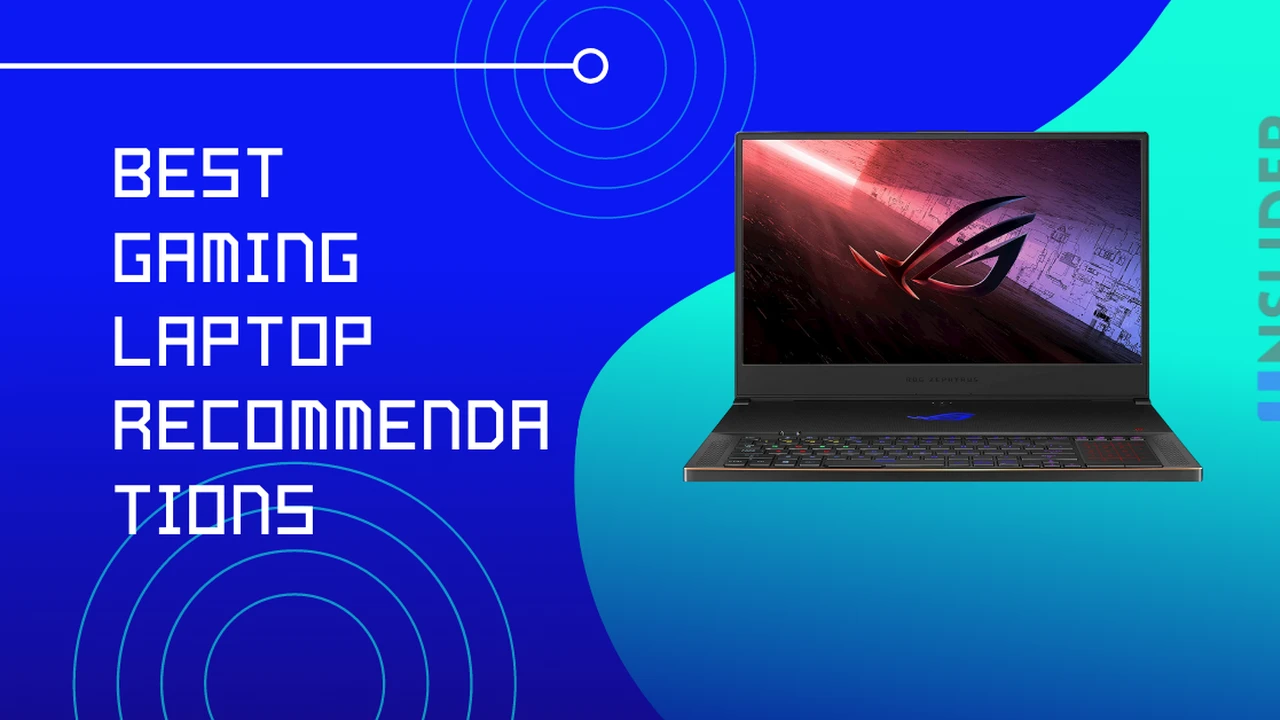
Hey there, fellow gamers! Are you on the hunt for a new gaming rig that you can take on the go? Gaming laptops have come a long way, bridging the gap between powerful desktop performance and portability. But with so many options out there, how do you pick the one that truly unleashes your gaming potential? It's not just about the flashy RGB lights; it's about raw power, smooth visuals, and a comfortable gaming experience. Let's dive deep into what makes a high-performance gaming laptop and compare some of the top contenders in the market right now.
\n\nUnderstanding Core Components for Gaming Laptops
\n\nBefore we jump into specific models, it's crucial to understand the key components that dictate a gaming laptop's performance. Think of these as the heart and soul of your portable battle station.
\n\nGraphics Processing Unit GPU The Gaming Powerhouse
\n\nThe GPU is arguably the most critical component for gaming. It's responsible for rendering all those beautiful graphics and ensuring smooth frame rates. NVIDIA's GeForce RTX series and AMD's Radeon RX series are the dominant players here. When comparing GPUs, look at the model number (e.g., RTX 4080 vs. RTX 4070) and also the TGP (Total Graphics Power), which indicates how much power the GPU can draw, directly impacting its performance. A higher TGP generally means better performance for the same GPU model.
\n\nCentral Processing Unit CPU The Brain of Your Laptop
\n\nWhile the GPU handles the visuals, the CPU manages everything else, from game logic to background applications. Intel's Core i7 and i9 series, and AMD's Ryzen 7 and Ryzen 9 series, are the go-to choices for high-performance gaming laptops. Look for CPUs with a high core count and clock speed, as these contribute to overall system responsiveness and can prevent bottlenecks, especially in CPU-intensive games or when multitasking.
\n\nRandom Access Memory RAM Speed and Capacity
\n\nRAM is where your system temporarily stores data that the CPU needs quick access to. For gaming, 16GB of RAM is generally the sweet spot, allowing you to run most modern games smoothly. If you're into heavy multitasking, streaming, or future-proofing, 32GB can be a worthwhile upgrade. Look for DDR5 RAM for faster speeds compared to older DDR4.
\n\nStorage SSD vs HDD and Capacity
\n\nGone are the days of slow loading screens with traditional HDDs. An NVMe SSD (Solid State Drive) is a must-have for a gaming laptop. It drastically reduces game loading times and overall system responsiveness. Aim for at least 512GB or 1TB of NVMe SSD storage. Some laptops offer a combination of a smaller SSD for the operating system and a larger HDD for game storage, but pure SSD is always preferred for gaming.
\n\nDisplay Refresh Rate and Resolution
\n\nWhat's the point of a powerful GPU if your screen can't keep up? The display is your window into the game world. Look for a high refresh rate (120Hz, 144Hz, 240Hz, or even 360Hz) for smoother visuals, especially in fast-paced games. Resolution also plays a role; 1080p (Full HD) is common for high refresh rates, while 1440p (QHD) or 4K (UHD) offer sharper images but require more GPU power. G-Sync or FreeSync technologies are also a big plus, as they synchronize the display's refresh rate with the GPU's output, eliminating screen tearing.
\n\nTop Gaming Laptop Contenders and Their Unique Selling Points
\n\nAlright, let's get to the exciting part: specific recommendations! Keep in mind that prices can fluctuate, and configurations vary, so always check the latest specs and deals.
\n\nRazer Blade 16 The Premium Powerhouse
\n\nThe Razer Blade series is known for its sleek, premium design and powerful performance. The Blade 16, for instance, often features the latest Intel Core i9 processors and NVIDIA RTX 40-series GPUs. It's a fantastic choice for gamers who want a blend of top-tier performance and a sophisticated, minimalist aesthetic. Many models offer a unique dual-mode mini-LED display, allowing you to switch between 4K 120Hz for stunning visuals and QHD+ 240Hz for competitive gaming. The build quality is exceptional, often featuring a CNC-milled aluminum chassis. However, this premium experience comes with a premium price tag, typically starting around $2,500 and going up significantly for higher-end configurations.
\n\nUse Case: Gamers who prioritize a premium build, sleek design, and top-tier performance for both gaming and creative work. Perfect for those who want a laptop that looks as good as it performs.
\n\nPros: Excellent build quality, powerful components, often features innovative displays, relatively thin and portable for its power.
\n\nCons: Very expensive, can run hot under heavy load, battery life might be average for a gaming laptop.
\n\nASUS ROG Strix Scar 17 The Performance Beast
\n\nIf raw performance is your absolute priority, the ASUS ROG Strix Scar series is a strong contender. These laptops are designed to push boundaries, often featuring high-TGP NVIDIA RTX GPUs and powerful AMD Ryzen or Intel Core processors. The Scar 17, for example, typically boasts a large 17-inch high-refresh-rate display (often QHD 240Hz or FHD 360Hz) for an immersive gaming experience. They also come with robust cooling systems to handle the heat generated by these powerful components. Expect prices to range from $2,000 to $3,500+ depending on the configuration.
\n\nUse Case: Enthusiast gamers who demand the absolute best performance for competitive gaming and graphically intensive titles. Less emphasis on portability, more on raw power.
\n\nPros: Top-tier performance, excellent cooling, high refresh rate displays, often includes per-key RGB lighting for customization.
\n\nCons: Can be bulky and heavy, battery life is often limited, design might be too "gamer-y" for some.
\n\nLenovo Legion Pro 7i The Balanced Performer
\n\nLenovo's Legion Pro series has consistently delivered excellent value and performance. The Legion Pro 7i (or its AMD counterpart, the Pro 7) is a fantastic all-rounder, offering powerful Intel Core or AMD Ryzen processors paired with high-TGP NVIDIA RTX GPUs. What sets Legion apart is its fantastic cooling system, often allowing the components to run at their full potential without excessive throttling. The displays are usually high-quality QHD panels with high refresh rates. Prices typically fall in the $1,800 to $3,000 range, offering a great balance of features and cost.
\n\nUse Case: Gamers looking for a well-rounded laptop that offers strong performance, effective cooling, and a good display without breaking the bank. Great for both gaming and productivity.
\n\nPros: Excellent cooling, strong performance for the price, good build quality, relatively understated design compared to some gaming laptops.
\n\nCons: Can still be a bit heavy, battery life is decent but not exceptional.
\n\nMSI GE78 HX Raider The Feature-Packed Giant
\n\nMSI's GE HX Raider series is known for packing a punch with the latest and greatest hardware. The GE78 HX Raider, for instance, often features top-of-the-line Intel Core i9 processors and NVIDIA RTX 40-series GPUs with very high TGPs. These laptops are designed for maximum performance and often come with a plethora of ports, advanced cooling solutions, and vibrant RGB lighting. The displays are typically large, high-refresh-rate QHD panels. Expect prices to be on the higher end, often starting around $2,200 and going up to $4,000+ for maxed-out configurations.
\n\nUse Case: Enthusiasts who want a desktop replacement experience in a laptop form factor. Ideal for those who prioritize raw power, extensive connectivity, and a feature-rich experience.
\n\nPros: Extremely powerful, excellent cooling, abundant ports, customizable RGB lighting, large immersive displays.
\n\nCons: Very bulky and heavy, not very portable, battery life is generally poor.
\n\nAcer Predator Helios 16 The Value-Oriented Performer
\n\nAcer's Predator Helios line often provides a compelling balance of performance and price. The Helios 16, for example, offers strong Intel Core processors and NVIDIA RTX GPUs, often at a more competitive price point than some of its rivals. While it might not always have the absolute highest TGP or the most premium build materials, it delivers solid gaming performance for its cost. Displays are typically high-refresh-rate FHD or QHD panels. Prices usually range from $1,500 to $2,500, making it a great option for budget-conscious gamers.
\n\nUse Case: Gamers looking for strong performance without spending top dollar. A great option for those who want to play modern titles smoothly at high frame rates without all the bells and whistles of more expensive models.
\n\nPros: Good performance for the price, decent cooling, solid display options.
\n\nCons: Build quality might not feel as premium as higher-end models, design can be a bit aggressive, fan noise can be noticeable.
\n\nKey Considerations Beyond Core Specs for Your Gaming Laptop
\n\nWhile the internal components are crucial, there are other factors that significantly impact your gaming experience and overall satisfaction with a laptop.
\n\nCooling System Thermal Management is Key
\n\nHigh-performance components generate a lot of heat. A robust cooling system with multiple fans, heat pipes, and efficient thermal paste is essential to prevent thermal throttling, which can reduce performance. Look for laptops with advanced cooling technologies and good ventilation.
\n\nKeyboard and Trackpad Gaming Input Devices
\n\nFor gaming, a comfortable and responsive keyboard is vital. Look for good key travel, tactile feedback, and anti-ghosting features. Per-key RGB lighting is a nice bonus for customization. While you'll likely use an external mouse for serious gaming, a decent trackpad is important for general use.
\n\nBattery Life Portability vs Power Consumption
\n\nGaming laptops are not known for their stellar battery life, especially when gaming. The powerful components consume a lot of power. Expect anywhere from 3-6 hours of general use and significantly less (often 1-2 hours) when actively gaming. If portability and unplugged use are critical, you might need to compromise on raw power or look for models with larger battery capacities.
\n\nPort Selection Connectivity Options
\n\nConsider the number and type of ports you need. USB-A, USB-C (especially Thunderbolt for Intel systems), HDMI, DisplayPort, and an Ethernet port are common. More ports mean more flexibility for connecting peripherals, external monitors, and high-speed storage.
\n\nBuild Quality and Aesthetics Durability and Style
\n\nGaming laptops can range from sleek and understated to bold and aggressive. Consider the materials used (plastic, aluminum, magnesium alloy) and the overall build quality. A sturdy chassis will withstand the rigors of travel and daily use.
\n\nSoftware and Bloatware Pre-installed Programs
\n\nSome manufacturers pre-install a lot of software (bloatware) that can consume resources. While some utilities are useful for managing performance and RGB lighting, be prepared to uninstall unnecessary programs to optimize your system.
\n\nMaking Your Final Decision on a Gaming Laptop
\n\nChoosing the best gaming laptop is a personal journey. It boils down to balancing your budget, performance needs, and desired features. If you're a competitive esports player, a high refresh rate display and a powerful GPU for consistent frame rates will be paramount. If you're a casual gamer who also needs a laptop for school or work, a more balanced option with good battery life might be better. Always check reviews from reputable tech sites and watch some hands-on videos to get a feel for the laptop's real-world performance and thermals. Don't forget to compare prices across different retailers, as deals can pop up frequently. Happy gaming!
" } ] }:max_bytes(150000):strip_icc()/277019-baked-pork-chops-with-cream-of-mushroom-soup-DDMFS-beauty-4x3-BG-7505-5762b731cf30447d9cbbbbbf387beafa.jpg)