Choose the right smart security camera for your home. This guide compares leading models on features, video quality, and storage options.
Comparing Smart Security Cameras for Home Protection
Understanding Smart Security Camera Essentials
Smart security cameras have become an indispensable part of modern home protection, offering peace of mind whether you're at home or away. These devices go far beyond traditional CCTV, integrating with your smart home ecosystem, providing real-time alerts, and often featuring advanced analytics. When you're looking to secure your sanctuary, understanding the core components of these cameras is crucial. We're talking about everything from crystal-clear video resolution to how they store your precious footage, and even how they communicate with you when something's amiss. It's not just about catching a glimpse of what's happening; it's about having a comprehensive, intelligent guardian for your property.
Video Quality and Resolution Explained
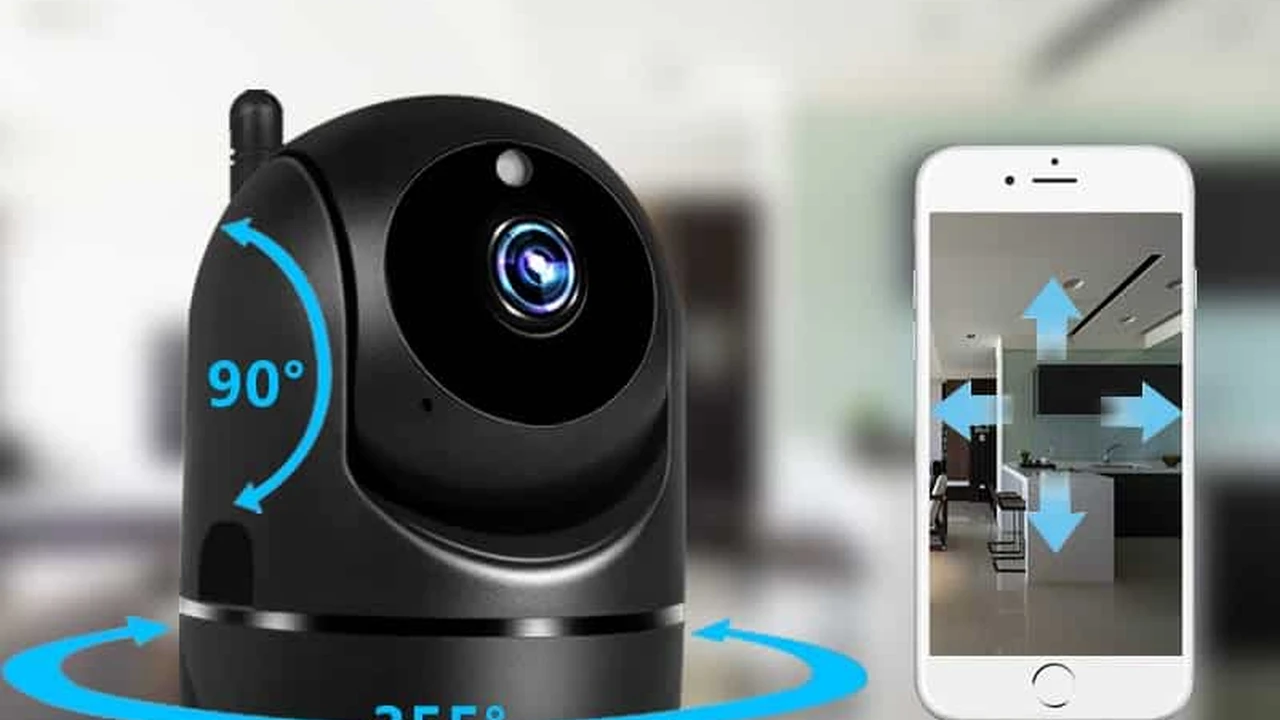
Let's start with the eyes of your security system: video quality. This isn't just a fancy spec; it directly impacts how clearly you can see faces, license plates, or even small details that might be critical in an incident. Most modern smart security cameras offer at least 1080p Full HD resolution, which is a good baseline for clear images. However, many are now pushing into 2K (1440p) and even 4K (2160p) Ultra HD. While 4K offers incredible detail, it also demands more bandwidth for streaming and more storage space for recordings. For most residential uses, 1080p or 2K strikes a great balance between clarity and manageability. Consider the field of view (FoV) too – a wider FoV means the camera covers more area, reducing the need for multiple cameras in a single space. Some cameras even offer pan and tilt functions, allowing you to remotely adjust the viewing angle, which is super handy for covering larger rooms or outdoor areas.
Storage Options Cloud vs Local
Where does all that video footage go? That's where storage options come into play, primarily divided into cloud storage and local storage. Cloud storage, offered by most manufacturers, means your footage is uploaded to secure servers online. This is convenient because you can access it from anywhere, and your recordings are safe even if the camera itself is damaged or stolen. However, it usually comes with a monthly or annual subscription fee, and the amount of storage or retention period can vary. Local storage, on the other hand, typically involves an SD card slot on the camera or a dedicated NVR (Network Video Recorder) or DVR (Digital Video Recorder) system. This means no recurring fees, and you have direct control over your data. The downside is that if the camera is compromised, your footage might be too. Many cameras offer a hybrid approach, providing a small amount of free cloud storage for short clips while also supporting local storage for longer recordings. Think about your internet speed too; uploading high-resolution video to the cloud requires a decent upload speed.
Connectivity and Powering Your Camera
How does your smart camera connect to the world? Most rely on Wi-Fi, making installation relatively straightforward as long as you have a strong signal. Some higher-end or outdoor cameras might offer Ethernet connectivity for a more stable and secure connection, especially if you're worried about Wi-Fi interference or range. Powering these devices also varies. Many indoor cameras use a simple power adapter that plugs into a wall outlet. Outdoor cameras often come with weather-resistant power cables. Battery-powered cameras offer incredible flexibility for placement since they don't need to be near an outlet, but you'll need to recharge or replace batteries periodically. Solar panel accessories are also becoming popular for battery cameras, providing continuous charging and making them truly wire-free. Consider the ease of installation based on your home's layout and power access.
Top Smart Security Camera Recommendations
Alright, let's dive into some specific models that stand out in the crowded smart security camera market. We'll look at a few popular choices, highlighting their strengths, ideal use cases, and approximate pricing. Keep in mind that prices can fluctuate, and subscription costs for cloud services are usually extra.
Arlo Pro 4 Spotlight Camera
The Arlo Pro 4 Spotlight Camera is a fantastic all-rounder, especially for outdoor use. It boasts 2K HDR video quality, which means clearer images even in challenging lighting conditions, and a wide 160-degree diagonal field of view. The integrated spotlight is a game-changer, illuminating intruders and enabling color night vision, which is far more informative than standard black and white. It's completely wire-free thanks to its rechargeable battery, making installation a breeze anywhere you need it. The magnetic mount is super convenient for adjusting angles. Arlo offers flexible cloud storage plans, and while there's no local storage on the camera itself, you can connect an Arlo SmartHub (sold separately) for local recording via a USB drive. The Arlo app is intuitive, providing smart alerts for people, vehicles, animals, and packages (with a subscription). It integrates well with Amazon Alexa, Google Assistant, and Apple HomeKit. This camera is perfect for homeowners who want premium features, excellent video quality, and the flexibility of a wire-free setup, particularly for outdoor surveillance.
Ideal Usage: Outdoor home security, monitoring driveways, backyards, and entry points. Great for users who prioritize high-quality video and easy installation.
Key Features: 2K HDR video, 160-degree FoV, integrated spotlight, color night vision, wire-free, rechargeable battery, smart alerts (with subscription).
Approximate Price: $199 - $229 USD (per camera, often sold in multi-packs for better value).
Ring Stick Up Cam Battery
The Ring Stick Up Cam Battery is a versatile and affordable option that can be used both indoors and outdoors. It records in 1080p HD video and offers a 130-degree horizontal and 69-degree vertical field of view. Like the Arlo, it's battery-powered, offering great placement flexibility. You can also purchase an optional solar panel for continuous charging. Ring's ecosystem is robust, with seamless integration with other Ring devices like doorbells and alarms. The Ring app provides real-time notifications, two-way talk, and live view. While it doesn't have a built-in spotlight like the Arlo Pro 4, it does offer infrared night vision. All video recordings require a Ring Protect Plan subscription for cloud storage, as there's no local storage option. This camera is an excellent choice for those already invested in the Ring ecosystem or looking for a flexible, easy-to-install camera that works well in various locations around the home.
Ideal Usage: Flexible indoor/outdoor monitoring, complementing existing Ring security setups, users seeking easy battery-powered installation.
Key Features: 1080p HD video, battery-powered, two-way talk, infrared night vision, works with Ring Protect Plan.
Approximate Price: $99 - $119 USD.
Google Nest Cam (Battery)
The Google Nest Cam (Battery) is another strong contender for both indoor and outdoor use, offering a sleek design and tight integration with the Google Home ecosystem. It records in 1080p HD video with HDR and has a 130-degree diagonal field of view. What sets Nest Cam apart is its on-device intelligence, meaning it can detect people, animals, and vehicles without a subscription, and even distinguish between familiar and unfamiliar faces if you set up a Nest Aware subscription. It offers three hours of event video history for free, which is a nice bonus compared to many competitors that require a subscription for any recording. For longer history and advanced features, Nest Aware is available. It's battery-powered but can also be hardwired for continuous power. The magnetic mount makes installation simple. This camera is ideal for Google Home users who want smart detection features and a bit of free video history.
Ideal Usage: Indoor/outdoor monitoring, users within the Google Home ecosystem, those who appreciate on-device intelligence and some free video history.
Key Features: 1080p HD video with HDR, on-device intelligence (person/animal/vehicle detection), 3 hours free event video history, battery-powered, magnetic mount.
Approximate Price: $179 - $199 USD.
Wyze Cam v3
For those on a tighter budget, the Wyze Cam v3 offers incredible value without sacrificing too many essential features. This compact camera is primarily designed for indoor use but is IP65 weather-resistant, meaning it can handle some outdoor exposure (though it needs to be plugged in). It records in 1080p Full HD and features a Starlight Sensor for excellent color night vision, even in very low light conditions. It has a 130-degree field of view. Wyze offers continuous recording to a local microSD card (sold separately) and 14 days of free cloud storage for 12-second event clips. For longer cloud recordings and advanced features like person detection, you can subscribe to Wyze Cam Plus. It also includes two-way audio and a built-in siren. The Wyze Cam v3 is perfect for users who want an affordable yet feature-rich camera, especially for indoor monitoring or sheltered outdoor areas.
Ideal Usage: Budget-conscious users, indoor monitoring, basic outdoor monitoring (with power access), users who prefer local storage options.
Key Features: 1080p HD video, color night vision, local microSD storage, 14 days free cloud storage (12-second clips), two-way audio, siren.
Approximate Price: $35 - $40 USD.
Eufy SoloCam S40
The Eufy SoloCam S40 is a compelling option for outdoor security, particularly because it features an integrated solar panel, making it truly self-sufficient in terms of power. It records in 2K resolution and has a 130-degree field of view. Eufy's big selling point is its commitment to no monthly fees for storage. All recordings are stored locally on the camera's built-in 8GB eMMC storage, which is encrypted for security. It also includes a powerful 600-lumen spotlight and color night vision. The AI on-device can distinguish between humans and other objects, reducing false alerts. Installation is straightforward, as there are no wires to run. This camera is ideal for users who want a set-it-and-forget-it outdoor camera with high resolution and absolutely no recurring costs for video storage.
Ideal Usage: Outdoor security, users who want solar-powered, wire-free operation, and no monthly subscription fees for storage.
Key Features: 2K video, integrated solar panel, 8GB local storage (no subscription), 600-lumen spotlight, color night vision, on-device AI detection.
Approximate Price: $199 - $229 USD.
Choosing the Right Camera for Your Home
Now that we've looked at some specific models, how do you decide which one is the best fit for your unique home and needs? It's not a one-size-fits-all situation, and several factors should influence your decision. Thinking through these points will help you narrow down the options and invest in a security solution that truly works for you.
Indoor vs Outdoor Placement Considerations
First off, where do you plan to put these cameras? Indoor cameras are generally smaller, less conspicuous, and don't need to be weather-resistant. They're great for monitoring pets, checking on kids, or keeping an eye on entryways from inside. Outdoor cameras, on the other hand, need to be robust. Look for an IP (Ingress Protection) rating, like IP65 or IP66, which indicates resistance to dust and water. They also often feature wider fields of view, stronger night vision, and sometimes spotlights or sirens to deter intruders. Consider how you'll power them outdoors – battery, solar, or wired. If you're looking to cover a large outdoor area, a camera with pan and tilt capabilities might be more efficient than multiple fixed cameras.
Budget and Subscription Costs
Your budget is obviously a major factor. While the initial purchase price of the camera is important, don't forget to factor in potential ongoing subscription costs. Many cameras offer basic features for free but lock advanced functionalities like person detection, extended video history, or cloud storage behind a paywall. These subscriptions can add up over time, so calculate the total cost of ownership over a few years. If you're strictly against monthly fees, prioritize cameras with robust local storage options, like those with microSD card slots or integrated eMMC storage. Wyze and Eufy are great examples of brands that offer more generous free tiers or no-subscription models.
Integration with Existing Smart Home Ecosystems
Do you already have a smart home setup? If you're heavily invested in Amazon Alexa, Google Home, or Apple HomeKit, choosing a camera that seamlessly integrates with your existing ecosystem can greatly enhance convenience. This means you can view live feeds on your smart display, receive alerts through your smart speakers, or even incorporate camera triggers into your smart home routines (e.g., lights turn on when motion is detected). While most major brands offer some level of cross-platform compatibility, some work better within their native ecosystems. For instance, Ring is deeply integrated with Alexa, and Nest Cams are best with Google Home.
Advanced Features and AI Capabilities
Beyond basic motion detection, what kind of smarts do you need? Advanced features like person detection, vehicle detection, or even package detection can significantly reduce false alarms from pets or passing cars. Facial recognition, while still evolving, can alert you if an unfamiliar person is at your door. Two-way audio is fantastic for communicating with delivery drivers or deterring unwanted visitors. Activity zones allow you to define specific areas within the camera's view where you want to receive alerts, ignoring irrelevant motion. Consider if you need a built-in siren or spotlight for active deterrence. These AI-powered features often come with a subscription, but they can make your security system much more effective and less annoying.
Installation and Ease of Use
Finally, think about how easy the camera is to install and use. Are you comfortable drilling holes and running wires, or do you prefer a completely wire-free, battery-powered solution? Many modern smart cameras are designed for DIY installation, with user-friendly apps that guide you through the setup process. Look for cameras with intuitive apps that make it easy to view live feeds, review recordings, adjust settings, and receive notifications. A complex setup or a clunky app can quickly turn a helpful security device into a frustrating gadget. Read user reviews about the app experience before making a purchase.
Setting Up Your Smart Security Camera System
Once you've picked out your camera, getting it up and running is the next step. While each brand has its own specific instructions, there are some general best practices that apply across the board to ensure your system is effective and secure.
Optimal Camera Placement Tips
Strategic placement is key to maximizing your camera's effectiveness. For outdoor cameras, aim to cover main entry points like front doors, back doors, and ground-floor windows. Consider areas where packages are delivered or where vehicles are parked. Mount cameras high enough to prevent tampering but low enough to capture clear facial features. Avoid pointing cameras directly at strong light sources (like the sun) as this can cause glare and obscure the image. For indoor cameras, common spots include living rooms, hallways leading to bedrooms, or near valuables. Ensure the camera has a clear line of sight and isn't obstructed by furniture or decor. Test the field of view after mounting to make sure it covers the desired area.
Network Security and Wi-Fi Considerations
Your smart camera is only as secure as your home network. Always use a strong, unique password for your Wi-Fi network and enable WPA2 or WPA3 encryption. If your router supports it, consider setting up a separate guest Wi-Fi network for your smart devices to isolate them from your main network. Ensure your Wi-Fi signal is strong where you plan to place your cameras, especially for outdoor or battery-powered models. A weak signal can lead to dropped connections, delayed alerts, and poor video quality. Wi-Fi extenders or mesh Wi-Fi systems can help if you have dead zones.
Privacy Settings and Data Protection
Privacy is paramount when dealing with security cameras. Be mindful of where you point your cameras, especially if they're outdoors, to avoid inadvertently recording your neighbors' property or public spaces. Most cameras allow you to set up privacy zones, which black out specific areas in the camera's view from being recorded. Always use strong, unique passwords for your camera accounts and enable two-factor authentication (2FA) if available. Understand how your chosen camera stores data – whether it's encrypted, how long it's retained, and who has access to it. Reputable brands prioritize data security, but it's always good to be informed.
Integrating with Smart Home Routines
One of the biggest advantages of smart security cameras is their ability to integrate with your broader smart home. Explore the automation features within your camera's app or your smart home hub (like Google Home or Alexa). You can set up routines such as: turning on outdoor lights when motion is detected at night, sending a notification to your phone when a package arrives, or even having your smart speaker announce when someone is at the front door. These integrations can make your security system more proactive and convenient, enhancing both safety and peace of mind.
Maintaining Your Smart Security Camera
Just like any other piece of tech, your smart security camera needs a little TLC to keep it running smoothly and effectively. Regular maintenance ensures it continues to protect your home without a hitch.
Regular Firmware Updates
Firmware updates are crucial for your camera's performance and security. Manufacturers frequently release updates to fix bugs, improve features, and patch security vulnerabilities. Always install these updates promptly. Most cameras allow you to enable automatic updates, which is the easiest way to stay current. If not, make it a habit to check for updates within the camera's app every few weeks.
Cleaning and Physical Maintenance
Outdoor cameras, especially, can get dirty. Dust, dirt, spiderwebs, and even bird droppings can obscure the lens and affect video quality. Regularly clean the camera lens with a soft, damp cloth. Avoid harsh chemicals that could damage the lens coating. Check the mounting hardware to ensure it's still secure, especially after strong winds or storms. For battery-powered cameras, keep an eye on the battery level and recharge or replace batteries as needed. If your camera uses a solar panel, ensure it's clean and free of obstructions to maximize charging efficiency.
Troubleshooting Common Issues
Even the best cameras can run into issues. If your camera goes offline, first check your Wi-Fi connection. A simple router reboot can often resolve connectivity problems. If video quality degrades, check the lens for dirt or obstructions. If you're getting too many false alerts, adjust the motion sensitivity settings or set up activity zones within the app. For persistent issues, consult the manufacturer's support website or user manual. Sometimes, a factory reset and re-setup can resolve stubborn problems, but remember this will erase all settings and require you to reconfigure the camera.
Reviewing and Managing Recordings
Make it a habit to periodically review your camera's recordings, especially if you're relying on event-based recording. This helps you understand what's being captured and if your camera is positioned optimally. Delete old, unnecessary recordings to free up storage space, especially if you're using local storage. If you have a cloud subscription, understand its retention policy and download any important clips you want to keep before they're automatically deleted. Regularly managing your recordings ensures you have access to the most relevant footage when you need it.
The Future of Smart Security Cameras
The world of smart security cameras is constantly evolving, with new technologies and features emerging all the time. It's an exciting space, and understanding where it's headed can help you make more informed decisions about your current and future security needs.
Enhanced AI and Machine Learning
Expect even more sophisticated AI and machine learning capabilities. Cameras will become better at distinguishing between different types of threats, recognizing specific individuals (with proper privacy safeguards), and even predicting potential issues based on behavioral patterns. This means fewer false alarms and more actionable intelligence. AI will also play a bigger role in video analytics, allowing for more efficient searching through footage for specific events or objects.
Integration with Broader Home Automation
The lines between security, lighting, climate control, and entertainment systems will continue to blur. Smart cameras will become even more deeply integrated into comprehensive home automation systems, allowing for complex, proactive routines. Imagine your camera detecting an unfamiliar face, triggering an alarm, locking all smart doors, and flashing lights, all automatically. This level of interconnectedness will create truly intelligent and responsive homes.
Edge Computing and Privacy
With growing concerns about privacy and cloud reliance, more processing will happen directly on the camera (edge computing) rather than solely in the cloud. This means faster detection, reduced bandwidth usage, and enhanced privacy as sensitive data doesn't always need to leave your home network. This trend will likely lead to more powerful cameras with built-in processing capabilities.
5G Connectivity and Beyond
The rollout of 5G will significantly impact smart cameras, especially those in remote locations or temporary setups. Faster speeds and lower latency will enable higher resolution streaming, more reliable cloud uploads, and quicker real-time alerts. As cellular connectivity becomes more ubiquitous and affordable, we might see more cameras that don't rely on home Wi-Fi at all, offering even greater flexibility in placement.
Sustainable and Eco-Friendly Designs
As consumers become more environmentally conscious, expect to see more smart security cameras designed with sustainability in mind. This includes using recycled materials, offering longer product lifespans, and designing for easier repairability. Solar-powered options will become more common, reducing reliance on grid power and battery waste. Manufacturers will also likely focus on reducing the energy consumption of their devices.
Smart security cameras are more than just gadgets; they're an integral part of modern home protection, offering peace of mind and enhanced safety. By understanding the key features, comparing leading models, and considering your specific needs, you can choose the perfect system to safeguard your home and loved ones. The technology is constantly advancing, promising even smarter, more integrated, and more secure solutions in the years to come. So, whether you're looking for basic monitoring or a full-fledged intelligent surveillance system, there's a smart security camera out there that's just right for you.
:max_bytes(150000):strip_icc()/277019-baked-pork-chops-with-cream-of-mushroom-soup-DDMFS-beauty-4x3-BG-7505-5762b731cf30447d9cbbbbbf387beafa.jpg)