Explore the evolving landscape of work with key tech trends for hybrid work models. From collaboration tools to virtual reality meetings.
Explore the evolving landscape of work with key tech trends for hybrid work models. From collaboration tools to virtual reality meetings.
The Future of Work Tech Trends for Hybrid Work
Understanding Hybrid Work Models and Their Tech Demands
The world of work has undergone a seismic shift, and the hybrid work model has emerged as a dominant force. It's no longer just about working from home or the office; it's about seamlessly blending the two, offering flexibility and autonomy to employees while maintaining productivity and collaboration. This new paradigm, however, brings with it a unique set of technological demands. Companies are scrambling to equip their teams with the right tools to ensure that whether an employee is at their kitchen table, a co-working space, or a traditional office desk, they remain connected, engaged, and efficient. The core challenge lies in creating an equitable experience for all, bridging the physical distance with digital solutions that foster a sense of unity and shared purpose. This isn't just about providing laptops; it's about building an entire ecosystem that supports dynamic work styles.
Essential Collaboration Tools for Seamless Hybrid Teams
Collaboration is the bedrock of any successful team, and in a hybrid environment, digital tools become the central nervous system. These aren't just chat apps; they are comprehensive platforms designed to facilitate real-time communication, document sharing, project management, and virtual meetings. The goal is to replicate, and in some cases even enhance, the spontaneous interactions and shared workspaces of a traditional office. Think about those quick huddles, whiteboard sessions, or even just overhearing a conversation that sparks an idea. Hybrid work tech aims to bring those elements into the digital realm, ensuring that no one feels isolated or out of the loop, regardless of their physical location. The right tools can transform a disparate group of individuals into a cohesive, high-performing unit.
Top Collaboration Platforms for Hybrid Work
When it comes to collaboration, several platforms stand out, each with its own strengths and ideal use cases. Choosing the right one depends on your team's size, specific needs, and budget.
Microsoft Teams: The All-in-One Ecosystem
Microsoft Teams has become a powerhouse in the hybrid work landscape, especially for organizations already invested in the Microsoft 365 ecosystem. It's more than just a chat application; it integrates video conferencing, file sharing, and a vast array of third-party applications. For a team that relies heavily on Word, Excel, and PowerPoint, Teams offers unparalleled integration, allowing for real-time co-authoring and seamless transitions between different tasks. Its robust security features and administrative controls make it a strong contender for larger enterprises. The ability to create dedicated channels for different projects or departments helps keep conversations organized and information easily accessible. The 'Together Mode' and 'Presenter Mode' in video calls aim to create a more engaging and inclusive meeting experience, trying to mimic the feeling of being in the same room. The cost is typically bundled with Microsoft 365 subscriptions, ranging from around $6 to $22 per user per month, depending on the plan. For example, Microsoft 365 Business Standard is about $12.50 per user/month, offering a comprehensive suite including Teams, Word, Excel, PowerPoint, Outlook, and 1 TB of cloud storage.
Slack: The Communication Hub for Agile Teams
Slack has long been a favorite for agile teams and startups due to its intuitive interface and powerful communication features. Its channel-based communication system allows for highly organized discussions, and its extensive integration with thousands of third-party apps makes it incredibly versatile. Slack excels at quick, informal communication, reducing the need for endless email chains. Its search functionality is top-notch, making it easy to find past conversations and shared files. While it offers video calls, its strength lies in its messaging capabilities and integrations. For teams that prioritize rapid communication and a highly customizable workflow, Slack is an excellent choice. Pricing for Slack starts with a free tier for basic use, with paid plans ranging from around $7.25 to $12.50 per user per month for standard and plus features, respectively. The Business+ plan, for instance, is around $12.50 per user/month when billed annually, offering 24/7 support and 99.9% guaranteed uptime.
Zoom: The Video Conferencing Standard
While many platforms now offer video conferencing, Zoom remains a dominant player, particularly for its reliability and ease of use. Its high-quality video and audio, along with features like virtual backgrounds, breakout rooms, and robust screen sharing, make it ideal for formal meetings, webinars, and large-scale presentations. For teams that conduct frequent video calls and need a stable, feature-rich platform, Zoom is often the go-to. Its integration with calendar applications simplifies scheduling, and its recording capabilities are invaluable for those who miss meetings or need to review discussions. Zoom's pricing starts with a free basic plan for meetings up to 40 minutes, with paid plans ranging from around $14.99 to $19.99 per host per month for Pro and Business plans. The Pro plan, at $14.99/month, allows for unlimited group meetings up to 30 hours and 5 GB of cloud recording.
Advanced Connectivity Solutions for Distributed Workforces
Reliable and secure connectivity is paramount in a hybrid work setup. It's not just about having internet access; it's about ensuring consistent, high-speed, and secure connections for all employees, regardless of their location. This involves more than just Wi-Fi; it encompasses VPNs, secure access service edge (SASE) solutions, and even 5G technology to ensure that data flows smoothly and securely between remote workers and company networks. The goal is to eliminate latency, dropped connections, and security vulnerabilities that can hinder productivity and expose sensitive information. Think of it as building a robust digital highway that connects every employee to the central hub, ensuring smooth traffic flow and protection against digital threats.
VPNs and SASE for Secure Remote Access
Virtual Private Networks (VPNs) have been a staple for remote access for years, creating a secure tunnel for data transmission. However, with the rise of cloud-based applications and a more distributed workforce, Secure Access Service Edge (SASE) solutions are gaining traction. SASE combines network security functions (like firewalls, secure web gateways, and zero-trust network access) with WAN capabilities, delivering them as a cloud service. This provides a more agile, scalable, and secure approach to connecting remote users to corporate resources.
NordLayer: Business VPN for Hybrid Teams
NordLayer, from the creators of NordVPN, offers a business-focused VPN solution designed for hybrid teams. It provides secure remote access to company resources, network segmentation, and threat prevention. It's easy to deploy and manage, making it suitable for businesses of all sizes. NordLayer ensures that all remote connections are encrypted and authenticated, protecting sensitive data from cyber threats. It also allows for dedicated gateways and IP addresses, which can be crucial for accessing certain corporate applications. Pricing for NordLayer starts from around $7 per user per month for the Basic plan, with advanced features available in higher tiers. The Advanced plan, for example, is around $9 per user/month, offering dedicated servers and smart routing.
Zscaler: Leading SASE Platform
Zscaler is a prominent SASE provider, offering a cloud-native platform that secures user access to applications and data from anywhere. It eliminates the need for traditional VPNs and firewalls, providing direct-to-cloud access with built-in security. Zscaler's Zero Trust Exchange architecture ensures that only authorized users and devices can access specific resources, significantly reducing the attack surface. It's particularly well-suited for larger enterprises with complex security requirements and a significant reliance on cloud applications. Zscaler's pricing is typically enterprise-grade and customized based on usage and features, often requiring direct consultation for a quote.
Virtual Reality and Augmented Reality for Immersive Collaboration
While video conferencing has become commonplace, virtual reality (VR) and augmented reality (AR) are poised to revolutionize hybrid collaboration by offering truly immersive experiences. Imagine conducting a meeting where everyone feels like they're in the same room, regardless of their physical location, or collaborating on a 3D design as if you were standing next to each other. VR and AR can bridge the physical gap in ways that traditional video calls cannot, fostering deeper engagement, more natural communication, and enhanced creativity. These technologies are moving beyond gaming and entertainment, finding practical applications in training, design, and remote assistance, promising a future where distance is no longer a barrier to effective teamwork.
VR Headsets for Collaborative Workspaces
VR headsets are becoming more accessible and powerful, enabling virtual meeting spaces and collaborative design environments.
Meta Quest 3: Accessible VR for Business
The Meta Quest 3 is a strong contender for business use due to its standalone nature (no PC required) and increasing support for productivity applications. It offers a high-resolution display and comfortable design, making it suitable for extended use. With platforms like Meta Horizon Workrooms, teams can meet in virtual conference rooms, share screens, and even use virtual whiteboards. The Quest 3's mixed reality capabilities also allow for blending virtual objects with the real world, opening up possibilities for AR-enhanced collaboration. The Meta Quest 3 is priced around $499 for the 128GB version, making it a relatively affordable entry point into business VR.
Varjo XR-3: High-Fidelity for Professional Applications
For highly demanding professional applications like industrial design, engineering, and training, the Varjo XR-3 offers unparalleled visual fidelity and mixed reality capabilities. Its human-eye resolution displays and advanced tracking provide an incredibly realistic and precise experience. While significantly more expensive, the XR-3 is designed for scenarios where absolute accuracy and immersion are critical, allowing for detailed collaborative work on complex 3D models or virtual prototypes. The Varjo XR-3 is a premium device, typically priced in the range of $6,000 to $10,000, plus an annual subscription for software and support, making it suitable for specialized enterprise use cases.
Smart Office Technology for Flexible Workspaces
As employees return to the office in a hybrid capacity, the physical workspace needs to adapt. Smart office technology plays a crucial role in creating flexible, efficient, and safe environments. This includes smart sensors for occupancy monitoring, intelligent lighting and climate control, and advanced room booking systems. The goal is to optimize space utilization, reduce energy consumption, and provide a seamless experience for employees who might be in the office only a few days a week. These technologies help manage the ebb and flow of a hybrid workforce, ensuring that resources are available when needed and that the office remains a productive and comfortable place for collaboration and focused work.
Room Booking Systems and Occupancy Sensors
Efficiently managing office space in a hybrid model requires smart solutions for booking desks and meeting rooms, as well as understanding space utilization.
Robin Powered: Workplace Experience Platform
Robin Powered offers a comprehensive workplace experience platform that includes desk and room booking, visitor management, and space analytics. Its intuitive interface allows employees to easily find and reserve available spaces, while administrators gain insights into office utilization patterns. Robin's integration with calendar systems and occupancy sensors helps automate check-ins and release unused bookings, maximizing efficiency. It's designed to make the hybrid office experience smooth and predictable for employees. Pricing for Robin Powered is subscription-based, typically starting from around $5 per user per month for basic features, scaling up with more advanced analytics and integrations.
Envoy: Visitor and Workplace Management
Envoy provides a suite of tools for workplace management, including visitor sign-in, desk booking, and room scheduling. Its focus on creating a seamless and secure office experience makes it ideal for hybrid environments. Envoy's desk booking feature allows employees to reserve hot desks or specific workstations, while its room booking system ensures meeting spaces are efficiently utilized. The platform also offers insights into office traffic and space usage, helping companies make data-driven decisions about their real estate. Envoy offers various plans, including a free tier for basic visitor management, with paid plans for workplace and desk management starting from around $99 per location per month, scaling up based on features and number of employees.
AI Powered Productivity Tools for Enhanced Efficiency
Artificial intelligence (AI) is rapidly transforming how we work, offering powerful tools to enhance productivity, automate repetitive tasks, and provide intelligent insights. In a hybrid work setting, AI can act as a personal assistant, helping employees manage their schedules, summarize meetings, draft communications, and even analyze data. From smart note-taking apps to AI-powered project management platforms, these tools free up valuable time, allowing employees to focus on more strategic and creative tasks. AI's ability to process vast amounts of information and learn from user behavior makes it an invaluable asset for optimizing individual and team performance in a distributed environment.
AI Assistants and Smart Note-Taking
AI-powered tools can significantly boost individual productivity by automating mundane tasks and providing intelligent assistance.
Otter ai: AI Meeting Assistant
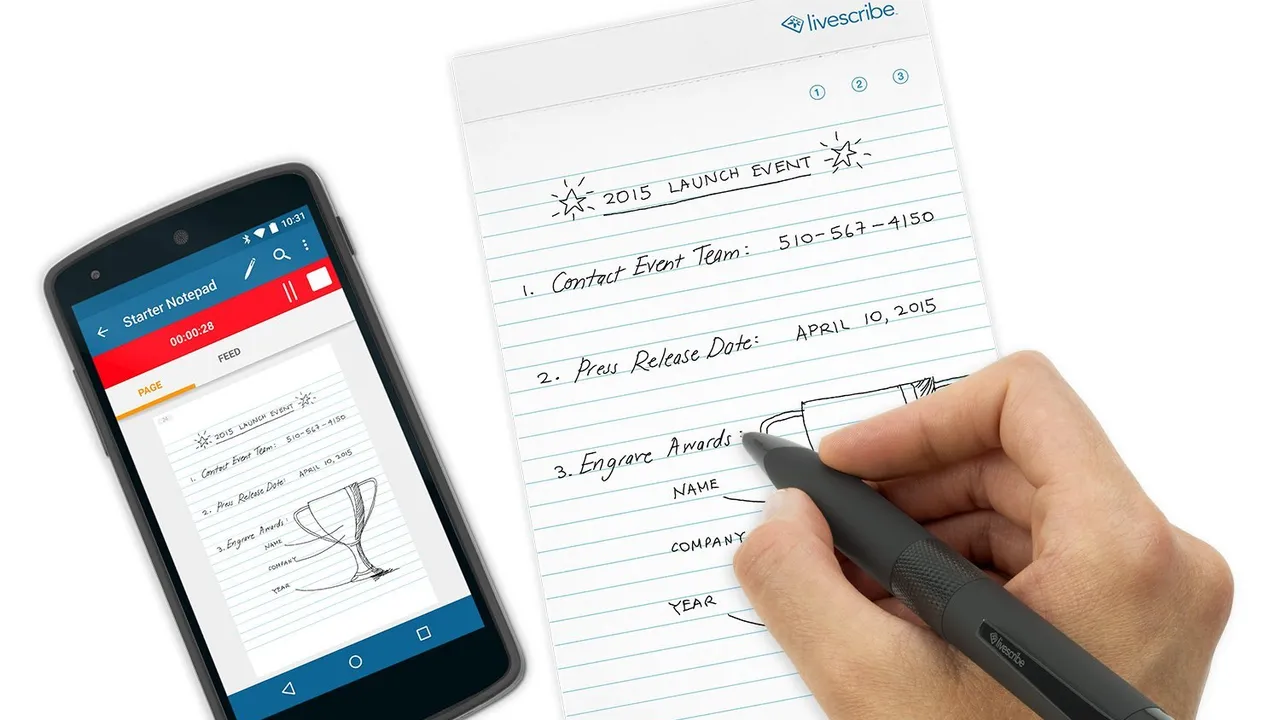
Otter.ai is an AI-powered meeting assistant that transcribes conversations in real-time, generates summaries, and identifies action items. For hybrid teams, this is invaluable, as it ensures that everyone has access to accurate meeting notes, even if they couldn't attend or need to review specific points. Otter.ai integrates with popular video conferencing platforms like Zoom and Google Meet, making it easy to capture discussions. It can also identify different speakers, making the transcripts highly readable. Otter.ai offers a free tier for up to 30 minutes per conversation and 30 monthly transcriptions, with paid plans starting from around $10 per user per month for Pro features, including longer transcription limits and more advanced search capabilities.
Notion AI: Integrated AI Workspace
Notion, a popular all-in-one workspace for notes, tasks, wikis, and databases, has integrated AI capabilities to further enhance productivity. Notion AI can help users brainstorm ideas, summarize documents, draft content, translate text, and even generate code snippets. This integration means that AI assistance is available directly within the context of your work, whether you're planning a project, writing a report, or organizing your knowledge base. For teams that rely on Notion for their collaborative workspace, Notion AI adds a powerful layer of intelligent assistance. Notion AI is an add-on to Notion's existing plans, typically costing around $10 per member per month, in addition to the base Notion subscription (which has a free personal plan and team plans starting from $8 per user per month).
The Evolution of Digital Well-being and Employee Experience
Beyond productivity, the future of work tech also heavily focuses on employee well-being and experience. Hybrid work, while offering flexibility, can also blur the lines between work and personal life, leading to burnout. Technology is now being leveraged to promote digital well-being, offering tools for mindfulness, stress reduction, and work-life balance. This includes apps that encourage breaks, monitor screen time, and provide resources for mental health support. Furthermore, tech is enhancing the overall employee experience by streamlining HR processes, facilitating internal communication, and fostering a sense of community, even when teams are physically dispersed. The goal is to create a supportive and engaging work environment that prioritizes the human element, ensuring that employees thrive, not just survive, in the hybrid landscape.
Mindfulness Apps and Digital Detox Tools
Supporting employee well-being in a hybrid environment means providing tools that help manage stress and maintain a healthy work-life balance.
Calm: Meditation and Sleep Aid
Calm is a leading app for meditation, sleep, and relaxation, offering guided meditations, sleep stories, and breathing exercises. Many companies are now providing Calm subscriptions to their employees as part of their well-being initiatives. In a hybrid work model, where boundaries can easily blur, tools like Calm help employees de-stress, improve focus, and ensure they get adequate rest, ultimately leading to better productivity and reduced burnout. A Calm Premium subscription typically costs around $69.99 per year, with corporate wellness programs often offering discounted or free access.
Forest: Stay Focused, Be Present
Forest is a unique productivity app that helps users stay focused by gamifying the process of avoiding phone distractions. When you want to focus, you plant a virtual tree in the app. If you leave the app before your timer is up, your tree withers. If you stay focused, your tree grows. This simple yet effective mechanism encourages users to put down their phones and concentrate on their work. For every virtual tree grown, Forest partners with a real-tree-planting organization to plant actual trees, adding an eco-friendly incentive. Forest is available as a one-time purchase on iOS (around $3.99) and free with in-app purchases on Android, making it an accessible tool for digital detox.
Cybersecurity in a Distributed World Protecting Data and Privacy
With employees accessing company data from various locations and devices, cybersecurity becomes an even more critical concern in a hybrid work model. The traditional perimeter-based security approach is no longer sufficient. The future of work tech emphasizes robust, multi-layered cybersecurity solutions that protect data and privacy regardless of where the work is being done. This includes advanced endpoint protection, identity and access management (IAM), data loss prevention (DLP), and continuous security awareness training. The goal is to build a resilient security posture that can withstand sophisticated cyber threats, ensuring business continuity and maintaining trust with customers and partners. It's about shifting from a reactive to a proactive security mindset, anticipating threats and building defenses before they can cause harm.
Endpoint Protection and Identity Management
Securing every device and ensuring only authorized users access sensitive data are fundamental in a hybrid environment.
CrowdStrike Falcon offers a cloud-native endpoint protection platform that provides comprehensive security against a wide range of cyber threats, including malware, ransomware, and fileless attacks. Its lightweight agent and AI-powered threat detection make it highly effective without impacting device performance. For hybrid workforces, CrowdStrike ensures that every laptop, desktop, and server, regardless of its location, is continuously monitored and protected. Its extended detection and response (XDR) capabilities provide deep visibility into security incidents across the entire IT environment. CrowdStrike's pricing is typically enterprise-grade and depends on the modules and number of endpoints, requiring a custom quote.
Okta: Identity and Access Management
Okta is a leading provider of identity and access management (IAM) solutions, crucial for securing access in a hybrid world. It enables single sign-on (SSO) for cloud applications, multi-factor authentication (MFA), and lifecycle management for user accounts. Okta ensures that only verified users can access the applications and data they need, reducing the risk of unauthorized access due to compromised credentials. Its adaptive MFA capabilities can adjust security requirements based on user location, device, and behavior, adding an extra layer of protection for remote workers. Okta's pricing varies based on the number of users and the specific products chosen, with basic SSO and MFA plans starting from around $2 to $6 per user per month, scaling up for advanced features like API access management and identity governance.
The Role of AI and Automation in Future Workflows
Looking ahead, artificial intelligence and automation will continue to reshape workflows in hybrid environments. Beyond individual productivity tools, AI will drive more intelligent automation of business processes, from customer service chatbots to automated data analysis and predictive analytics. This means less time spent on repetitive, manual tasks and more time dedicated to strategic thinking, problem-solving, and innovation. AI will also play a crucial role in optimizing resource allocation, personalizing learning experiences, and even predicting employee needs. The integration of AI and automation will create more efficient, responsive, and adaptive organizations, allowing them to thrive in an increasingly dynamic and distributed work landscape. It's about building a smarter, more agile enterprise that can leverage technology to its fullest potential.
:max_bytes(150000):strip_icc()/277019-baked-pork-chops-with-cream-of-mushroom-soup-DDMFS-beauty-4x3-BG-7505-5762b731cf30447d9cbbbbbf387beafa.jpg)