Decide between a tablet and a laptop for your daily tasks. Understand the pros and cons of each for productivity and entertainment. It's a classic tech dilemma, isn't it? You're looking for a new device, something that can handle your daily grind, keep you entertained, and maybe even help you get some serious work done. But then you hit the wall: do I go for a sleek, portable tablet, or stick with the tried-and-true laptop? It's not just about price anymore; it's about how you live, how you work, and what you really need from your tech.
Tablets vs Laptops Which Device is Right for You
Understanding the Core Differences Tablets and Laptops Defined
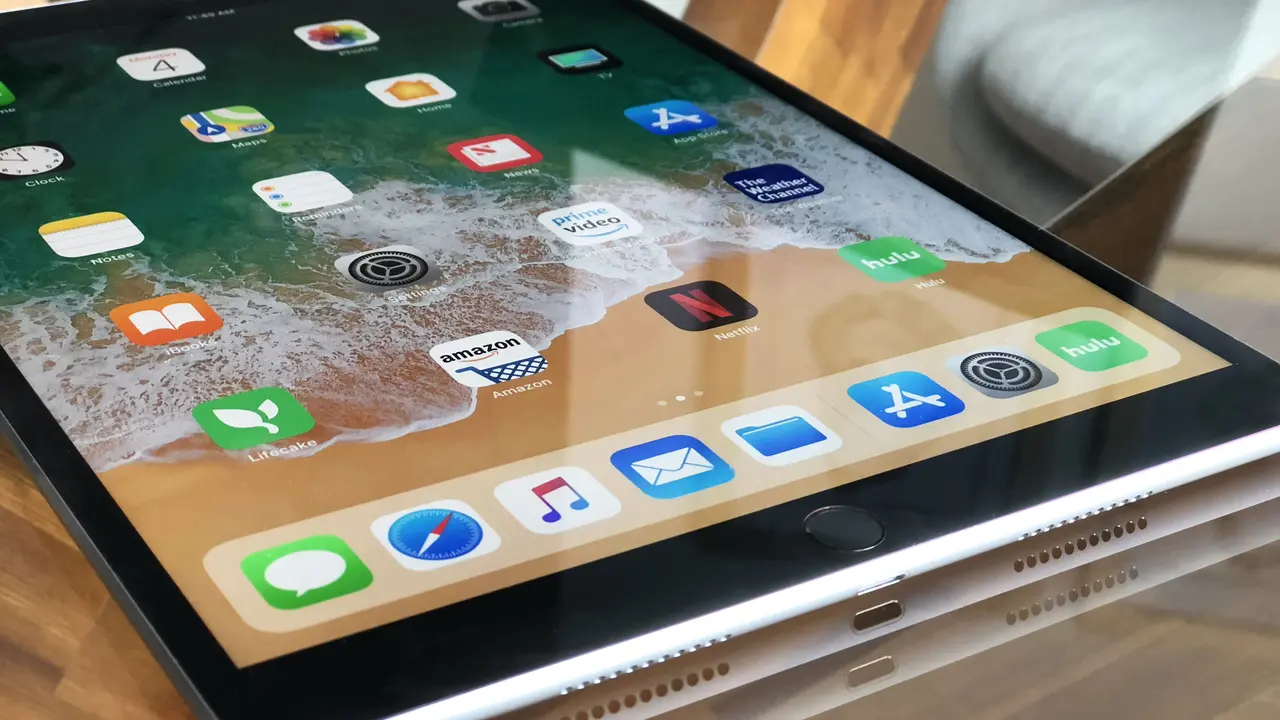
Before we dive deep, let's quickly define what we're talking about. Laptops, as you know, are essentially portable personal computers. They come with a physical keyboard, a trackpad, and run full-fledged operating systems like Windows, macOS, or ChromeOS. They're built for productivity, offering robust processing power, ample storage, and a wide range of connectivity options. Think of them as your mobile workstation. Tablets, on the other hand, are more like oversized smartphones. They're primarily touch-screen devices, running mobile operating systems like iPadOS or Android. While many can connect to external keyboards and styluses, their core design emphasizes portability, media consumption, and casual use. They're fantastic for browsing, streaming, and light creative tasks.Portability and Design The On-the-Go Factor
When it comes to portability, tablets generally win hands down. They're lighter, thinner, and often have longer battery life for casual use. You can easily slip an iPad or a Samsung Galaxy Tab into a small bag, and they're perfect for reading on the commute or watching movies on a plane. Their instant-on capability means no waiting around when you need to quickly check something. Laptops, while increasingly sleek, still carry more bulk. Even ultrabooks, designed for maximum portability, are heavier and thicker than most tablets. However, that extra size often translates to a larger screen, a more comfortable keyboard for extended typing, and better cooling for demanding tasks. If you're constantly moving between meetings or coffee shops and need to do serious work, a laptop might still be your best bet for a stable setup.Top Portable Tablets for Travel and Commuting
Let's look at some top contenders in the tablet space for portability:- Apple iPad Air (5th Gen): This is a fantastic all-rounder. It's incredibly light (around 1 pound), features a beautiful 10.9-inch Liquid Retina display, and is powered by the M1 chip, making it surprisingly powerful for its size. It's great for note-taking with the Apple Pencil 2 and can handle light productivity with a Magic Keyboard. Prices start around $599 for the Wi-Fi model (64GB).
- Samsung Galaxy Tab S8: A strong Android alternative, the Galaxy Tab S8 offers a vibrant 11-inch LCD display, comes with the S Pen included, and runs on a powerful Snapdragon 8 Gen 1 processor. It's slim and light, perfect for media consumption and creative work. Prices typically start around $699 (128GB).
- Microsoft Surface Go 3: If you prefer a more traditional Windows experience in a tablet form factor, the Surface Go 3 is a solid choice. It's very portable, has a kickstand, and can run full Windows applications. However, its performance is more suited for basic tasks. Prices start around $399 (64GB), but you'll likely want to add the Type Cover keyboard.
Lightweight Laptops for Mobile Professionals
For those who need laptop power in a portable package:- Apple MacBook Air M2: This laptop is a marvel of engineering. It's incredibly thin and light (2.7 pounds), boasts phenomenal battery life, and the M2 chip delivers excellent performance for most users. The fanless design means it's silent. Prices start around $1099 (256GB).
- Dell XPS 13: A long-standing favorite for its compact design and premium build quality. The XPS 13 is known for its stunning InfinityEdge display and solid performance in a small footprint (around 2.8 pounds). Prices vary widely based on configuration, starting around $899.
- HP Spectre x360 14: This 2-in-1 convertible laptop offers the best of both worlds. It can be used as a traditional laptop or folded into a tablet. It's a bit heavier than a pure tablet (around 3 pounds) but offers full laptop power and a gorgeous OLED display. Prices start around $1299.
Productivity and Performance Getting Work Done
This is where laptops traditionally shine. Their full desktop operating systems allow for true multitasking, running multiple demanding applications simultaneously, and offering a familiar file management system. Laptops typically have more powerful processors, more RAM, and larger storage options, making them ideal for video editing, graphic design, coding, or running complex spreadsheets. Tablets, while increasingly powerful, still operate within the confines of mobile operating systems. While iPadOS and Android have made huge strides in multitasking and desktop-like features, they can still feel restrictive for heavy-duty work. Input methods, even with external keyboards, might not be as comfortable for long typing sessions as a dedicated laptop keyboard. However, for specific creative tasks like digital art or note-taking, a tablet with a stylus can be incredibly intuitive and efficient.Best Devices for Creative Professionals and Power Users
If you're a creative pro or need serious horsepower:- Apple MacBook Pro (M3, M3 Pro, M3 Max): For video editors, graphic designers, and developers, the MacBook Pro lineup is hard to beat. The M3 series chips offer unparalleled performance and efficiency. Prices start from $1599 for the M3 model, going much higher for Pro/Max configurations.
- Dell XPS 15/17: These larger XPS models offer discrete graphics cards and powerful Intel processors, making them excellent for demanding creative applications and even some gaming. They combine performance with a sleek design. Prices start around $1499 for the XPS 15.
- Microsoft Surface Pro 9: This 2-in-1 device blurs the lines. It's a powerful tablet that runs full Windows 11, making it a strong contender for productivity. With the optional Type Cover and Surface Pen, it can be a versatile workstation. Prices start around $1099 (without keyboard/pen).
Tablets Excelling in Specific Productivity Niches
For specific tasks where tablets truly shine:- Apple iPad Pro (M2): The ultimate tablet for artists and note-takers. The M2 chip makes it incredibly fast, and the ProMotion display is perfect for the Apple Pencil 2. It can handle demanding creative apps like Procreate and LumaFusion with ease. Prices start around $799 for the 11-inch model (128GB).
- Samsung Galaxy Tab S9 Ultra: With its massive 14.6-inch AMOLED display, this tablet is a dream for digital artists and those who need a lot of screen real estate. It comes with the S Pen and offers a desktop-like DeX mode for enhanced productivity. Prices start around $1199 (256GB).
Entertainment and Media Consumption Your Digital Playground
This is where tablets often take the lead. Their touch-first interface is perfect for browsing, swiping through photos, and watching videos. The form factor makes them comfortable to hold for extended periods, whether you're lounging on the couch or in bed. Many tablets also boast excellent displays, often with higher pixel densities than similarly priced laptops, making movies and games look fantastic. Plus, the app ecosystem on mobile platforms is incredibly rich for entertainment. Laptops, while capable of media consumption, aren't always as convenient. The keyboard can get in the way, and they're generally heavier to hold. However, for serious gaming or connecting to a large external display for a home theater experience, a laptop's superior processing power and connectivity options can be a huge advantage.Top Tablets for Streaming and Gaming
For the ultimate entertainment experience on the go:- Apple iPad (10th Gen): A great value option for general entertainment. It has a bright 10.9-inch Liquid Retina display and is powerful enough for most games and streaming apps. Prices start around $449 (64GB).
- Samsung Galaxy Tab S9+: A fantastic Android tablet for media. It features a stunning 12.4-inch AMOLED display, powerful speakers, and a fast processor for gaming. Prices start around $999 (256GB).
- Amazon Fire HD 10: If you're on a tight budget and primarily use Amazon services, the Fire HD 10 is a very affordable option for streaming and light gaming. Prices start around $149 (32GB).
Laptops for Immersive Gaming and Home Theater Setups
When you need more power for entertainment:- Razer Blade 14: A compact gaming laptop that packs a punch. It's relatively portable but offers powerful discrete graphics cards for serious gaming. Prices start around $1999.
- LG Gram 17: While not a gaming laptop, its massive 17-inch display and incredibly light weight make it a fantastic option for watching movies on a large screen without being tethered to a desk. Prices start around $1499.
Cost and Value Getting the Most Bang for Your Buck
Generally, tablets tend to be more affordable than laptops, especially at the entry-level. You can find decent tablets for a few hundred dollars, while a capable laptop usually starts closer to $500-$600. However, once you start adding accessories like keyboards, styluses, and increased storage to a tablet, the price can quickly approach that of a mid-range laptop. When considering value, think about longevity and versatility. A laptop, with its more robust hardware and full operating system, might have a longer useful life for demanding tasks. Tablets, while great for their specific use cases, might feel limited sooner if your needs evolve towards more intensive work.Budget-Friendly Tablets for Everyday Use
Great value options for casual users:- Lenovo Tab P11 Plus: A solid Android tablet with a good screen and decent performance for its price. It's often available for under $300.
- Amazon Fire HD 8: Even more affordable than the HD 10, this is perfect for basic browsing, reading, and streaming. Often found for under $100.
Affordable Laptops for Students and General Use
Laptops that offer good value without breaking the bank:- Acer Aspire 3: A reliable budget laptop that offers decent performance for everyday tasks like web browsing, word processing, and email. Prices often start around $399.
- Lenovo IdeaPad Flex 5: A versatile 2-in-1 convertible laptop that offers good performance and a touchscreen at a reasonable price. Often available for under $600.
- Chromebooks (e.g., Acer Chromebook Spin 714): If your work is primarily web-based, a Chromebook can offer excellent value, fast performance, and long battery life for a fraction of the cost of a Windows or macOS laptop. The Acer Chromebook Spin 714 is a premium option starting around $699, but many cheaper models exist.
Ecosystem and Software Compatibility Your Digital World
The operating system is a huge factor. If you're already deeply embedded in the Apple ecosystem, an iPad will integrate seamlessly with your iPhone and Mac. Similarly, Android tablets work best if you're an Android phone user, and Windows tablets fit right in if you're used to Windows on your desktop. Laptops, running full desktop OS, offer unparalleled software compatibility. You can install virtually any program you need, from specialized engineering software to professional video editing suites. Tablets, while having a vast app store, are limited to apps designed for their mobile OS. While many professional apps have mobile versions, they might not offer the full functionality of their desktop counterparts.Seamless Integration with Your Existing Devices
Consider your current tech setup:- Apple Ecosystem: If you have an iPhone, Apple Watch, or Mac, an iPad offers features like Handoff, Universal Clipboard, and AirDrop that make working across devices incredibly smooth.
- Android Ecosystem: For Android phone users, a Samsung Galaxy Tab or other Android tablet will sync easily with your Google account, photos, and apps.
- Windows Ecosystem: A Surface device or any Windows laptop will feel familiar if you're a long-time Windows user, offering access to all your desktop applications and cloud services.
The Verdict Finding Your Perfect Match
So, which one is right for you? It really boils down to your primary use case and priorities. Choose a Tablet if:- Your main activities are media consumption (streaming, reading, browsing).
- You need extreme portability and long battery life for casual use.
- You're a digital artist, note-taker, or enjoy light creative tasks with a stylus.
- You prefer a touch-first interface.
- Your budget is tighter, and you don't need heavy-duty performance.
- You need to do serious productivity work, like extensive typing, coding, or complex data analysis.
- You require powerful software that only runs on a desktop operating system.
- You need robust multitasking capabilities and extensive file management.
- You're a serious gamer or need to connect to multiple external peripherals.
- You value a physical keyboard and trackpad for extended use.
:max_bytes(150000):strip_icc()/277019-baked-pork-chops-with-cream-of-mushroom-soup-DDMFS-beauty-4x3-BG-7505-5762b731cf30447d9cbbbbbf387beafa.jpg)